Invoice basics · 6 min read
How to write an invoice: a step-by-step guide for beginners
Everything a first-time invoicer needs to get paid without a follow-up email: what to include, in what order, with a worked example you can copy.
Sending your first invoice is usually less complicated than it feels. An invoice is a formal request for payment — a record of what you delivered, what it costs, and when you expect to be paid. Clients pay faster when that record is complete and easy to scan, and slower when they have to email you back to ask what a line item means or where to send the money.
This guide walks through exactly what to include, in what order, using a simple worked example, so you can write a professional invoice in under ten minutes.
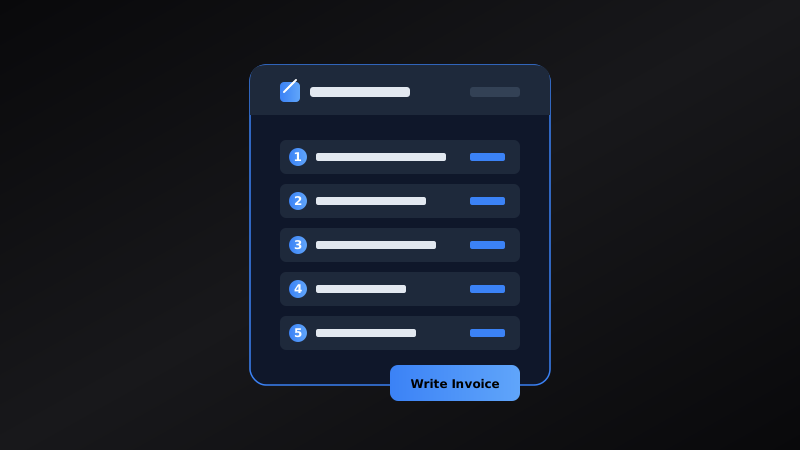
Worked example
A completed design studio invoice
Maya runs a one-person design studio and just finished a logo project for a local coffee roaster. Her invoice looks like this:
- From
- Studio Chen — hello@studiochen.example
- Bill to
- Riverbend Coffee Roasters, Attn: Accounts
- Invoice #
- SC-2026-014
- Dates
- Issued Sep 14, 2026 — Due Sep 29, 2026 (Net 15)
- Line item
- Logo design package, including 2 rounds of revisions — $850.00
- Total due
- $850.00
Original diagram
Six steps to a finished invoice
- 1Gather business & client details
- 2Assign invoice number & date
- 3Itemize the work or products
- 4Add taxes, discounts & total
- 5Set payment terms & methods
- 6Review, export & send
What every invoice needs
At minimum, a payable invoice answers four questions: who is billing whom, what was delivered, how much is owed, and when and how to pay. In practice, that breaks down into nine fields.
- Your business name, address, and a contact email or phone number.
- The client's name and billing details, matching what their accounts team has on file.
- A unique invoice number you won't reuse.
- The issue date and the payment due date.
- A description of each product or service, with quantity and rate.
- A subtotal before tax.
- Any tax, shown as its own line rather than folded into the total.
- The total amount due, in the agreed currency.
- How you accept payment — bank transfer, card, or a payment link.
Common mistakes first-time invoicers make
A few recurring errors cause most of the friction in first invoices.
- Using a vague description like "services rendered" instead of naming the actual work.
- Forgetting to include a due date, which leaves "when" up to the client.
- Reusing an old invoice number by accident.
- Leaving tax out of the total, so the amount paid doesn't match what's owed.
- Not saving a copy before sending, in case you need to reissue it.
- Sending an editable Word or spreadsheet file instead of a PDF.
Choosing how to create the document
A basic invoice can be built in a spreadsheet or word processor, and for your first one or two, that's often the easiest way to learn the fields above. Once you're invoicing regularly, a dedicated invoice generator saves time by keeping your business details and client list on hand, numbering invoices automatically, calculating totals, and exporting a clean PDF straight from the browser — no template to reformat each time.
Common questions
Helpful clarifications
What's the difference between an invoice and a receipt?
An invoice requests payment before it's been made; a receipt confirms payment after it has. If a client asks for "proof of payment," they usually want a receipt, not another copy of the invoice.
Do I need to register a business to send invoices?
In most places, no. Many freelancers invoice as individuals using their own name and personal tax ID, at least until their income crosses a registration threshold. Rules vary by country, so check your local requirements if you're unsure.
Do I have to charge sales tax on my invoice?
It depends on where you and your client are based, what you sell, and whether you're registered to collect tax. If you're not sure whether tax applies, it's worth a short conversation with a local accountant before your first few invoices go out.
What should I do if a client doesn't pay on time?
Send a polite reminder that references the invoice number and due date as soon as it's overdue, rather than waiting. A short, specific follow-up gets paid faster than a long one, and most late payments are oversights rather than refusals.
What file format should I send an invoice in?
PDF. It keeps your layout fixed regardless of the device or software the client opens it with, and it's the format most accounting systems expect.
How soon should I send an invoice after finishing work?
As soon as the work or delivery is confirmed complete. Waiting doesn't make the invoice easier to write, and it does delay when the payment clock starts.